Long chats come out whole
The ChatGPT exporter asks ChatGPT for the conversation itself instead of reading the page, so how long the thread is stops mattering.
Chrome extension · free every day
MyChatExport is a ChatGPT exporter that runs inside the page you are already on: click once on any conversation and the ChatGPT exporter hands you a clean Markdown file or a PDF — every message, in order, with code blocks and tables still intact. This ChatGPT exporter builds the file inside your browser, so the conversation is never uploaded to us — and 5 exports per day are free.
A long thread is not fully on screen at any one moment — the browser keeps the part you are looking at and drops the rest. Anything that copies what is visible copies only that part, and hands it to you without a warning. That is the difference a ChatGPT exporter is supposed to make, and the difference this ChatGPT exporter was built around.
The ChatGPT exporter asks ChatGPT for the conversation itself instead of reading the page, so how long the thread is stops mattering.
Nothing in the file tells you something is missing. You usually find the gap months later, when the part you needed is not there — which is why a ChatGPT exporter has to say what it did.
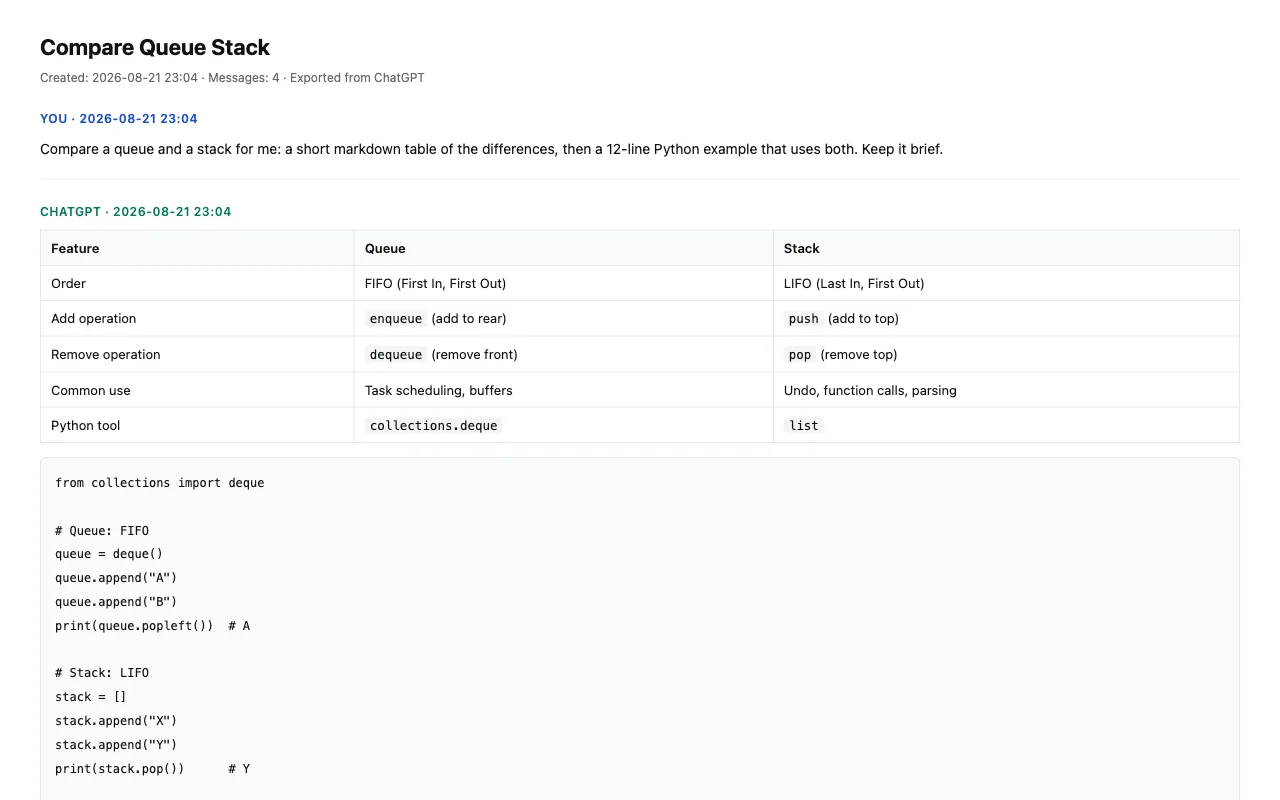
The ChatGPT exporter keeps messages in the order they were written, with code blocks, tables and quotes intact rather than flattened into plain prose.
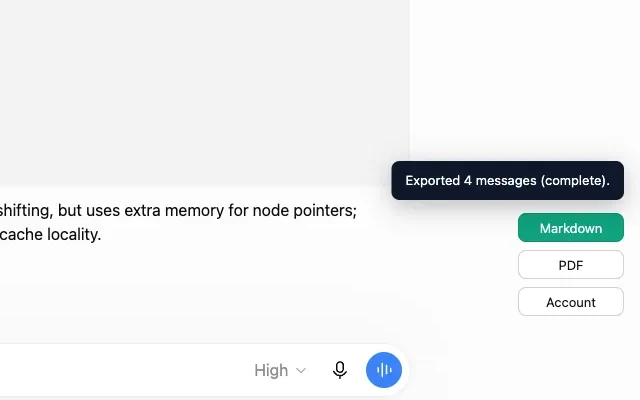
Every run of the ChatGPT exporter ends with a line that counts the result — Exported 4 messages (complete). — so a short file is something you see straight away rather than months later.
It is a real option, it is free, and it is worth knowing about before you install a ChatGPT exporter. The short version: ChatGPT's own export gives you a backup of everything, later, while a ChatGPT exporter like this one gives you a single conversation, now, in a form you can read. Both are worth having; they answer different questions.
| ChatGPT’s own Export Data | MyChatExport |
|---|---|
| Emails you a download link when the archive is ready | The ChatGPT exporter drops the file into your downloads while you are still on the page |
| Every conversation you have ever had, in one archive | The one conversation you have open — this ChatGPT exporter never touches the rest |
| A JSON file plus an HTML viewer to open it with | Markdown you can paste, or a PDF you can send, from the same ChatGPT exporter |
| Has to be unpacked before anyone can read it | Whatever the ChatGPT exporter writes opens in the app you were going to use anyway |
| Free, and part of your ChatGPT account | The ChatGPT exporter is free up to a daily count, then a subscription |
If what you want is a backup of everything you have ever said to ChatGPT, use ChatGPT's own export — it is free and it is complete, and no ChatGPT exporter replaces it. Reach for a ChatGPT exporter in the other case: one conversation, needed now, in a form you can hand to someone.
Most people looking for a ChatGPT exporter are not archiving for its own sake. They need the thing outside the chat window, and what they do with the file decides which ChatGPT exporter is worth installing.
The ChatGPT exporter writes Markdown with headings, code fences and lists already correct, so it drops into a vault without cleanup. See the three steps.
PDF is produced by Chrome's own print engine rather than by the ChatGPT exporter's servers, so the file is an ordinary searchable document — no watermark, no upload.
Run the ChatGPT exporter once and long debugging or drafting sessions stay readable months later, including the parts the page had already unloaded.
All of these are the real ChatGPT exporter running on a real conversation — the same version that will go to the Chrome Web Store. Nothing here is a mockup of what a ChatGPT exporter might look like.
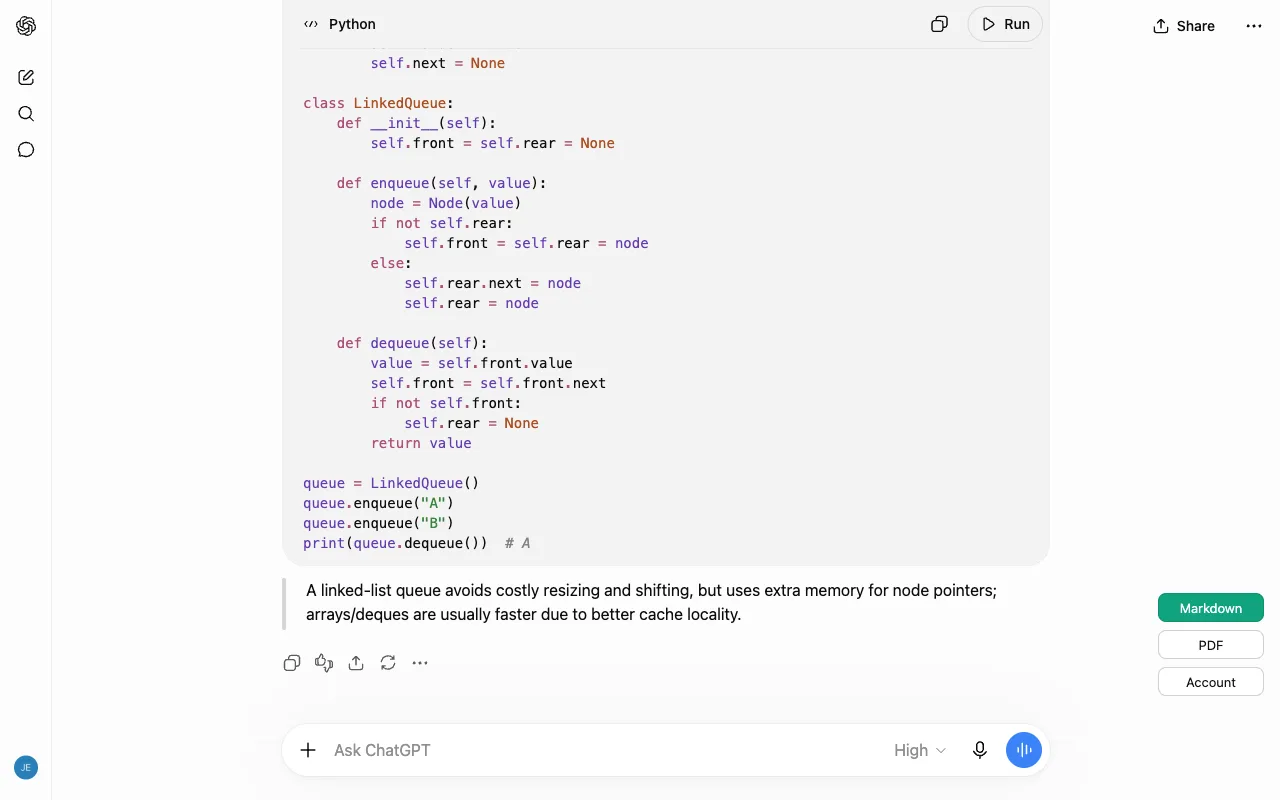
Go to the ChatGPT thread you want to keep. The ChatGPT exporter needs nothing configured and nothing pasted.
The ChatGPT exporter requests that one conversation and assembles the full transcript locally.
Markdown downloads straight away. For PDF the ChatGPT exporter opens Chrome's print dialog, where you pick Save as PDF.
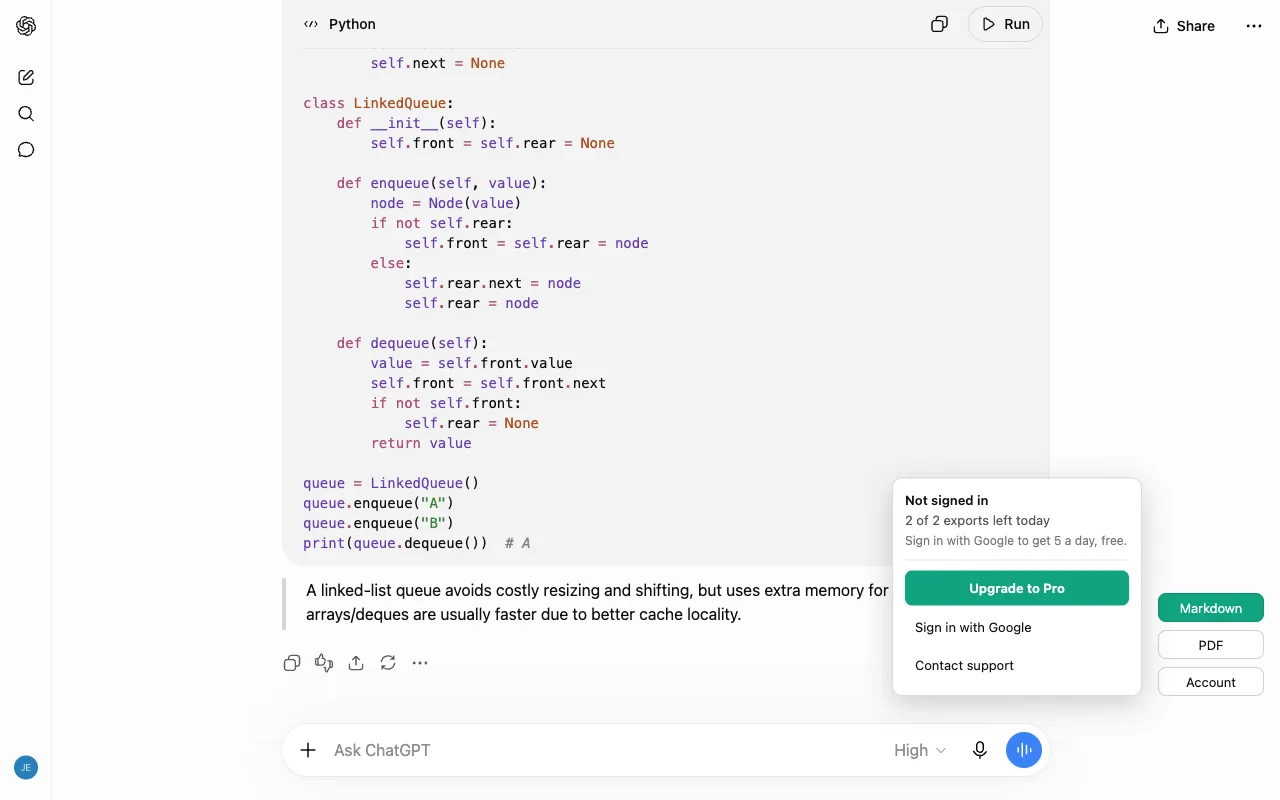
Five full exports a day for free. Pro removes the daily limit — the export itself is identical either way.
No. The ChatGPT exporter assembles and writes the transcript inside your browser. Account and licence checks talk to ext.mychatexport.com, and conversation content is never included in those requests. Read the privacy policy for the full list of what is and is not sent.
No, and that is deliberate — it is the one thing this ChatGPT exporter will not do. It only ever touches the single conversation you have open. It does not list, enumerate or bulk-download your chat history, and a guard in the code makes an out-of-scope request fail rather than proceed.
To ask ChatGPT for the conversation you are viewing, the request has to be authenticated as you — the same way the page itself is. The ChatGPT exporter uses that credential for that one request and does not send it to us.
It counts. Every run of the ChatGPT exporter finishes with a line like Exported 4 messages (complete). — the number is what actually went into the file, and it says so outright when something is missing. That matters because a short export looks exactly like a complete one: nothing inside the file tells you the end is not there.
No. The PDF is drawn by your own browser's print engine from the conversation data, and the ChatGPT exporter adds nothing on the way — no footer, no logo, no advertisement. Free and paid exports run the same code, so there is no version of the file with a banner in it. It is worth asking before you install any ChatGPT exporter: at least one widely installed ChatGPT-to-PDF extension stamps every PDF it produces, including for the people who pay for it.
Yes. It went through Chrome Web Store review and the listing is live — version 0.1.0, listed publicly. The install button at the top of this page goes straight to it.
The ChatGPT exporter has a free tier you can use every day, and a subscription that removes the daily limit — nothing else sits behind the paywall. The exact numbers are on the pricing page, and the same numbers are written into the store listing itself, not sprung on you after you install it.
See the plans
This ChatGPT exporter is in the Chrome Web Store now, and the free exports start the day you add it. If you would rather look before you install, the exported file is shown further up this page and what each plan of the ChatGPT exporter costs is on the pricing page.